
For families who save more Reels than they cook

Turn any food video into your family's cookbook.

Paste a link from TikTok, Instagram Reels, Facebook Reels, YouTube, or a recipe blog. Social Grub watches the video, listens, and writes your recipe card: ingredients, steps, and a grocery list everyone at home can see.

10 free starter imports, then 3 a month. No card needed.

TikTokInstagram ReelsFacebook ReelsYouTubeRecipe blogs

Coming soon to the App Store and Google Play

Try it right here3 instant samples

Your own link goes straight into your free account as one of your 10 starter imports. Or tap a sample below to watch it work.

How it works

Watch once. Cook it for years.

Most food videos never make it to the stove. They sit in a saved folder until you forget which app they were in. Social Grub gets them out of the feed and onto your table.

01

Watch once, cook forever

The recipe, even when it's only on screen

Plenty of food videos never spell the recipe out. It's in the voiceover, or flashed on screen for a second. Social Grub catches it and writes a clean card with amounts and steps.

We never store or re-host the video. Social Grub reads the recipe once, writes your card, and lets the video go.
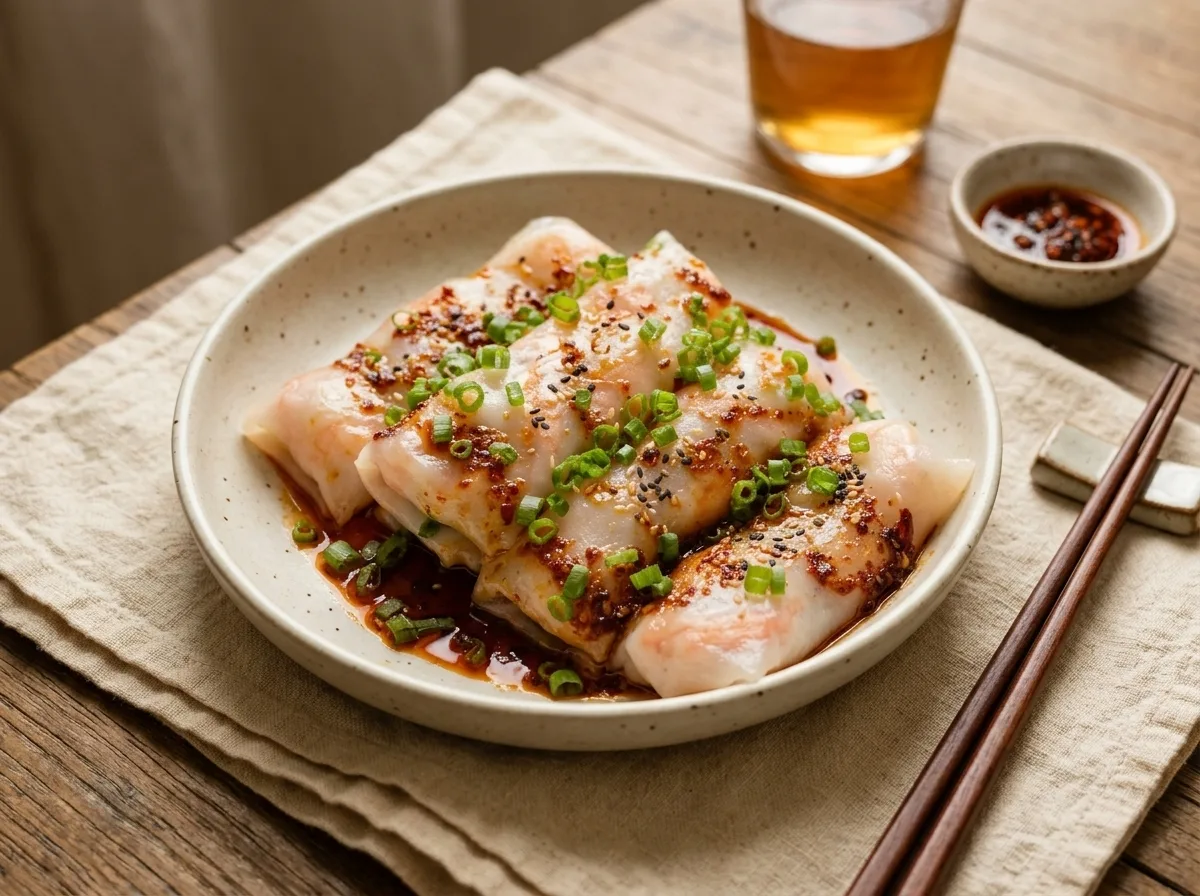
Steamed shrimp rice paper rolls with chili oil and green onion on a stoneware plate
Steamed Shrimp Rice Paper Rolls · saved from a Facebook ReelOpen
02

One shared family table

Everyone sees tonight's dinner

Mark a recipe Personal while you're still deciding, or Family when it's going on the menu. Family recipes show up for everyone in your household, and their ingredients merge into one grocery list sorted by aisle.

Two recipes that both need green onions? The list says green onions once, with the combined amount.

Steamed Shrimp Rice Paper Rolls
Only you can see this

Your grocery list

Produce

  • Green onions 2Shrimp Rolls

Seafood

  • Large raw shrimp 12Shrimp Rolls

International

  • Rice paper sheets 4Shrimp Rolls
03

Optional Living Pantry

It remembers the staples, if you want it to

Turn on Living Pantry in Settings and Social Grub notices what you check off at the store, then gently flags what's probably running low. No weighing, no barcode scanning.

It comes with the Family plan and it's off by default. Leave it off and nothing changes.

Living Pantry
Settings · Kitchen

Living Pantry is off. Social Grub isn't tracking anything in your kitchen. Turn it on whenever you like.

Pricing

Free to start. Fair when you need more.

An import is one recipe saved from a link, a caption, or a clip. Paid plans start with a 7-day free trial on annual billing.

Try it out

Free

$0
forever

Free forever

  • 10 imports to start, then 3 a month
  • Personal cookbook and grocery list
  • 1 person
  • No card required
Start free

Just you

Plus

$5.00
/mo

$59.99 billed yearly · Save 37%

  • 1 person
  • 30 imports a month
  • Full cookbook photos and grocery aisles
  • 7-day free trial on annual
Start 7-day free trial

Best for most families

Family

$7.50
/mo

$89.99 billed yearly · Save 50%

  • Up to 6 family members
  • 60 shared imports a month
  • Shared family cookbook and live grocery list
  • Optional Living Pantry
  • 7-day free trial on annual
Start 7-day free trial

Need extra imports? Add +25 imports for $2.99. They never expire.

Founding Family launch offer: the first 500 families lock in $69.99/yr for life while subscribed.

Questions

Before you paste your first link

Still stuck? Write to help@socialgrub.app and a person will answer.

How do I save a recipe from TikTok, Instagram, or Facebook?

In the app, tap Share, then Copy link. Paste it into Social Grub, or share it straight to Social Grub from your phone's share sheet. Your card is usually ready in under a minute.

What if the post is private or the link won't open?

Some posts are private, removed, or only visible to followers. When that happens we'll tell you right away. You can paste the caption or attach the clip from your camera roll, and we'll write the card from that instead.

Do you keep the video?

No. We use the video once to write your card, then let it go. We never store or re-host it.

Can my family share one cookbook and one grocery list?

Yes. The Family plan covers up to 6 people who share 60 imports a month. Recipes marked Family show up for everyone, and anyone can check items off the shared grocery list at the store.

What is Living Pantry, and can I turn it off?

It's an optional list of staples you probably have, built from what you check off while shopping. It stays off until you turn it on in Settings, and you can turn it off or clear it any time.

Is there a free plan?

Yes. Free starts you with 10 imports, then 3 every month after that, plus a personal cookbook and grocery list. No card needed.

Can I delete my account and our kitchen data?

Yes. Go to Settings, then Account, then Delete account. It removes your recipes, photos, grocery lists, and household data. If you own a household, members get a heads-up first so they can save what they want.

Do you sell our recipes or kitchen photos?

No. We don't sell your recipes, photos, or family data. The Privacy Policy explains exactly what we keep and why.